01 · DECIDE BEFORE YOU START
Before you mine
Mining is computer work submitted to a network or pool. A faster machine can contribute more work, but it does not guarantee a return. Hardware capability, heat, electricity cost, network difficulty, pool terms, coin market conditions, liquidity, and each coin’s underlying project all matter. Research the coin and the pool before starting.
Hardware & cooling
A CPU, GPU, or ASIC has a finite supported algorithm, power draw, heat output, and noise level. Use the telemetry to observe it; do not use a claimed hash rate as a promise.
Coin & network
Difficulty, network rules, development, market price, and security are external to MKT and can change rapidly.
Pool & wallet
Pool fees, payout thresholds, worker naming, and address/network compatibility determine how submitted work becomes a payout.
02 · LITE
Lite quick start
Lite is one focused CPU/GPU miner on the computer running MKT. It includes local Loki Guardian, Alfred AI, and Phone / QR. ASIC views, Nodes, All Miners, fleet topology, and remote-system controls remain Full-only.
- Install the signed packageUse only the MKT download link and keep Windows protections enabled. Do not replace package files with copies from a chat, forum, or unverified mirror.
- Choose Lite and claim the deviceStart the trial or enter the device-bound receipt for this computer. Keep the receipt private.
- Select a coin deliberatelyCustomer releases begin with no default coin, wallet, pool, or explorer. Choose a reviewed CoinPack profile or add a supported one. Each coin keeps its own wallet and history.
- Add a public payout addressConfirm the coin and network before saving. MKT does not need a seed phrase, private key, or wallet password.
- Review pool and explorerUse CoinPack guidance only after confirming it matches the selected coin. Leave an explorer blank when none is reviewed or needed.
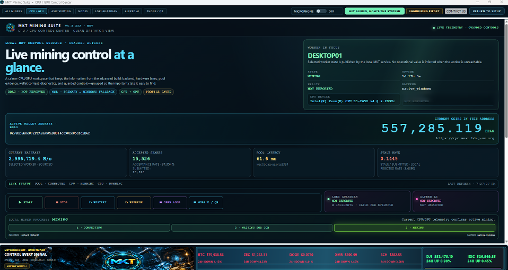
- Start, then verify evidenceWatch the state, route, latency, submitted/accepted context, valid hash rate, and temperatures. A connection is not yet a payout.
03 · TERMS THAT PREVENT MISTAKES
Core concepts
ShareWork a pool can use to measure contribution; it is not a block or immediate wallet deposit.
PoolA service that coordinates mining work and applies its own acceptance and payout rules.
ExplorerA public or approved viewer for blocks, addresses, and transactions—not a pool or private node.
RPC endpointA controlled interface that queries a node or service—not a public website or pool route.
CoinPackReviewed signed metadata for compatible hardware, pools, explorers, and read-only node/RPC hints—not an executable downloader or wallet.
04 · FULL
Full edition overview
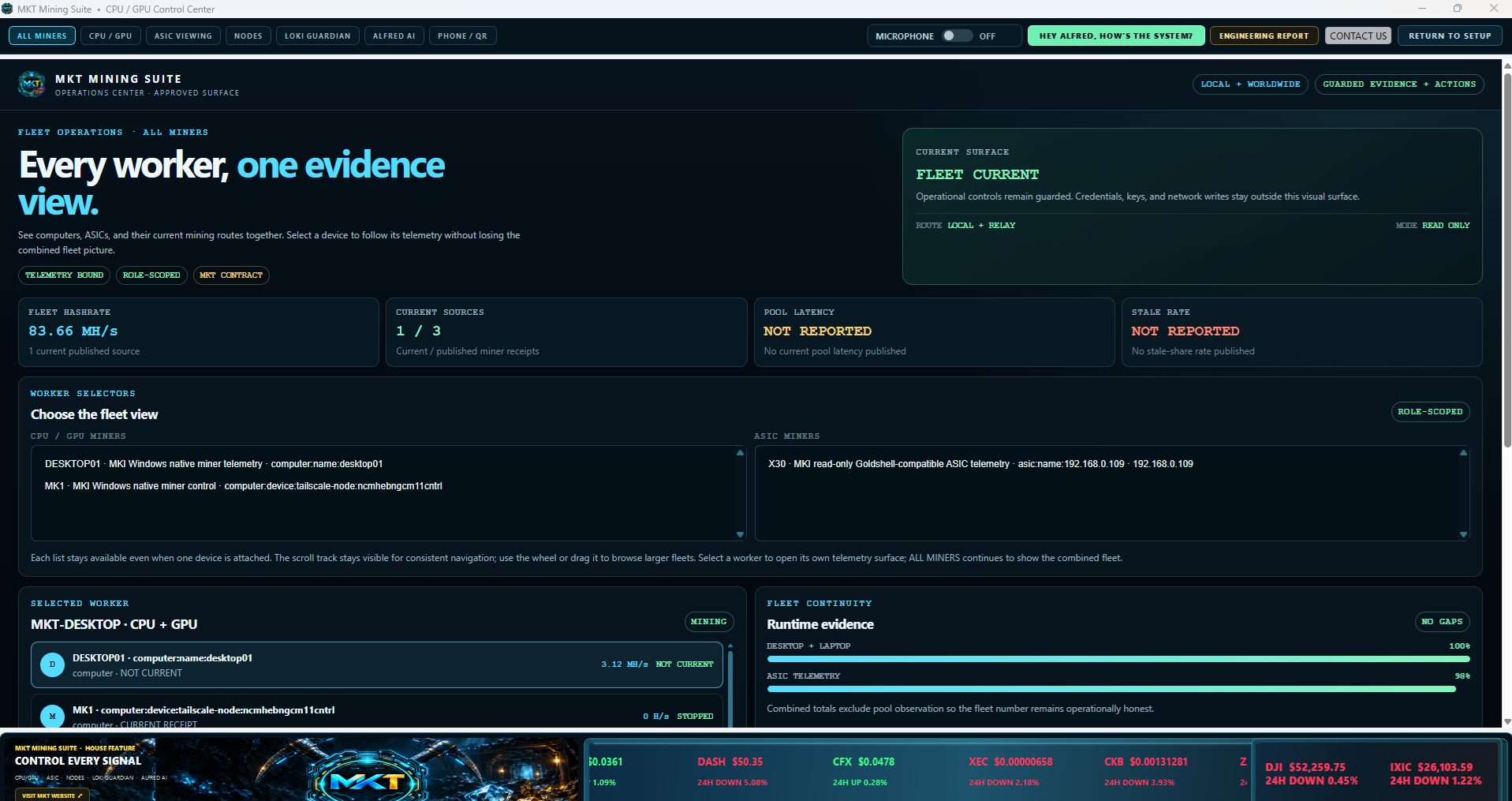
Full keeps the Lite CPU/GPU workflow and adds saved computers, eligible ASICs, node/RPC telemetry, All Miners, and a fleet topology. It does not become a public scanner or a remote-control tool for equipment that has not been explicitly added through an approved private route.
Ensure the remote MKT computer is online, reachable through a private LAN or approved Tailscale path, running its MKT telemetry service, and visible in the MKT system. An ASIC needs only its vendor’s private, read-only status API; MKT is not installed on the ASIC.
05 · ONE PROFILE PER COIN
Build a coin profile
- Choose the coinOpen Setup or CoinPack Manager, then choose the coin you intend to configure.
- Import verified guidanceObtain CoinPacks only from an official MKT location and allow MKT to verify them before use.
- Enter a coin-specific walletConfirm the network and public address. It will not be copied to another coin.
- Review pool, explorer, and hardware laneAccept a reviewed default where one exists, or use a verified custom route. Never reuse a URL or port from an unrelated coin.
06 · LOCAL OR ENROLLED MKT COMPUTER
Add a CPU / GPU computer
In Full, a remote MKT computer appears in the saved system view only after it is online on an approved private route and publishing MKT telemetry. This avoids treating a bare IP address as an operating miner.
- Install and launch MKT on the computerAllow it to finish setup and publish its local telemetry service.
- Confirm private reachabilityUse a private LAN or approved Tailscale connection. Never create public port forwarding just to make discovery work.
- Discover systemsRun the bounded device scan from the primary MKT computer, review the identity and role, then save it.
- Confirm a visible topology entryVerify the name, route, role, readiness state, hash rate, and freshness after saving.
07 · FULL · READ-ONLY TELEMETRY
Add an ASIC miner
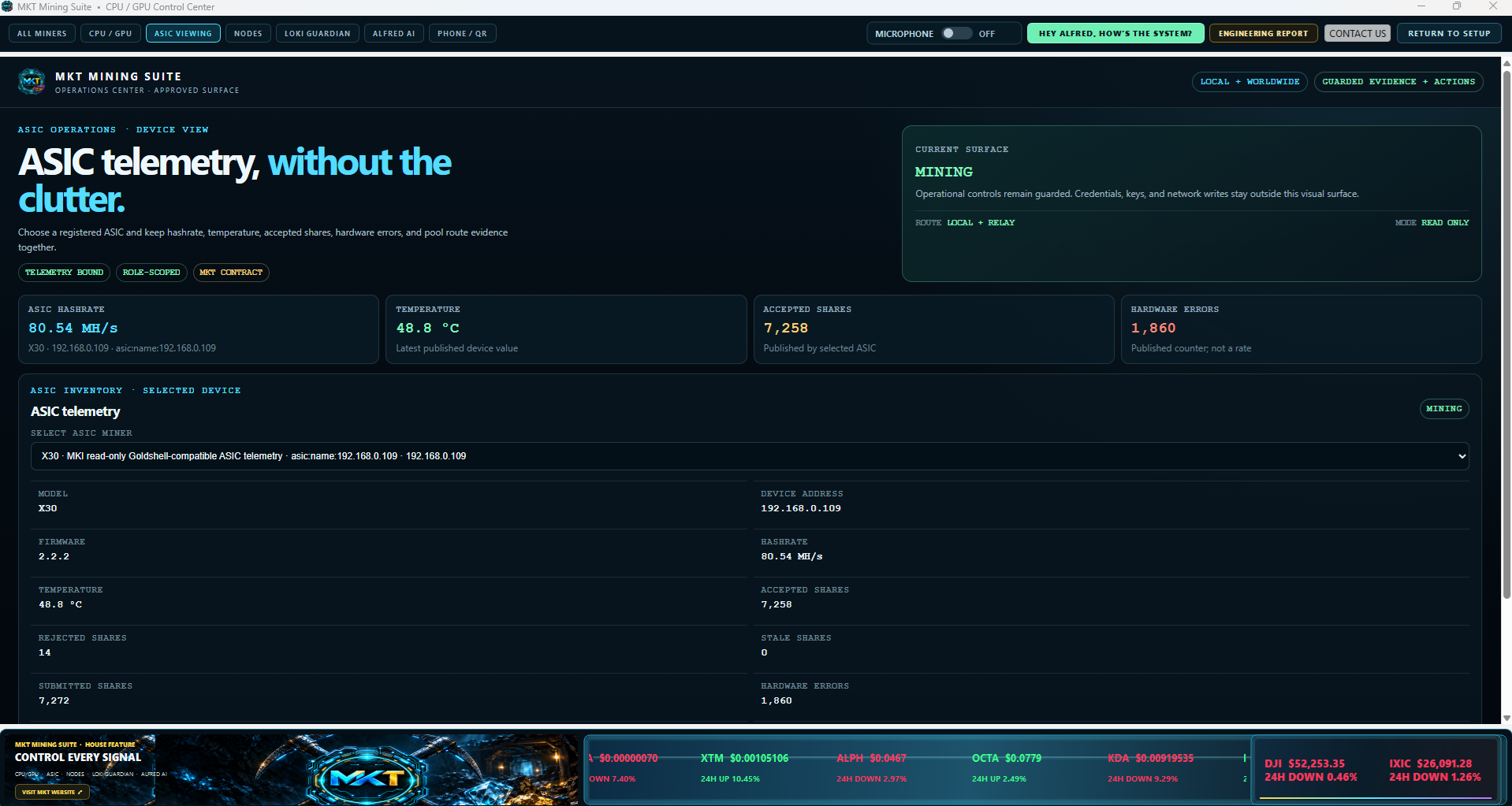
ASIC enrollment is read-only. MKT identifies an ASIC through a private LAN or approved Tailscale route and reads eligible status telemetry. It does not change pool settings, reboot the device, or expose its management API to the public Internet.
- Open Setup → Add SystemChoose the ASIC role.
- Choose Private LAN or TailscaleEnter the private hostname or IP address. Treat the address as a route, not a permanent identity.
- Use a read-only endpointAllow bundled probing or enter a verified private endpoint such as a cgminer status interface. Never use a public IP or port forward.
- Check and saveReview detected identity, adapter status, hash rate, temperature, and freshness. Saving makes the ASIC visible in topology and All Miners.
08 · MINING WORK ROUTES
Configure mining pools
A pool coordinates work and applies its own acceptance, fees, and payout rules. Use the CoinPack-provided route only after checking the pool’s current instructions for the selected coin.
- Choose the pool field for the selected coinCPU/GPU profiles may use separate host and port fields; ASICs can use a Stratum URI.
- Enter the exact routeUse the protocol, host, and port supplied by the pool. Confirm the coin and algorithm match.
- Run the route checkReview reachability and latency. A successful route check does not promise acceptance or payment.
- Read share data in contextAccepted, rejected, and stale shares should be considered together. If a pool has not returned complete counters, MKT should label the figure as unavailable rather than inventing a rate.
09 · PUBLIC NETWORK CONTEXT
Configure explorers
An explorer is for viewing blocks, addresses, and transactions. It is not a mining pool, RPC service, or wallet. Use the reviewed CoinPack explorer when listed; otherwise leave the field empty until you have independently verified the correct network endpoint.
First confirm the exact coin, network, and public address. Then distinguish on-chain wallet balance from a pool’s unpaid balance: a pool can have accepted work that has not reached its payout threshold or been sent on-chain.
10 · FULL · EXISTING PRIVATE NODE
Add and connect a node
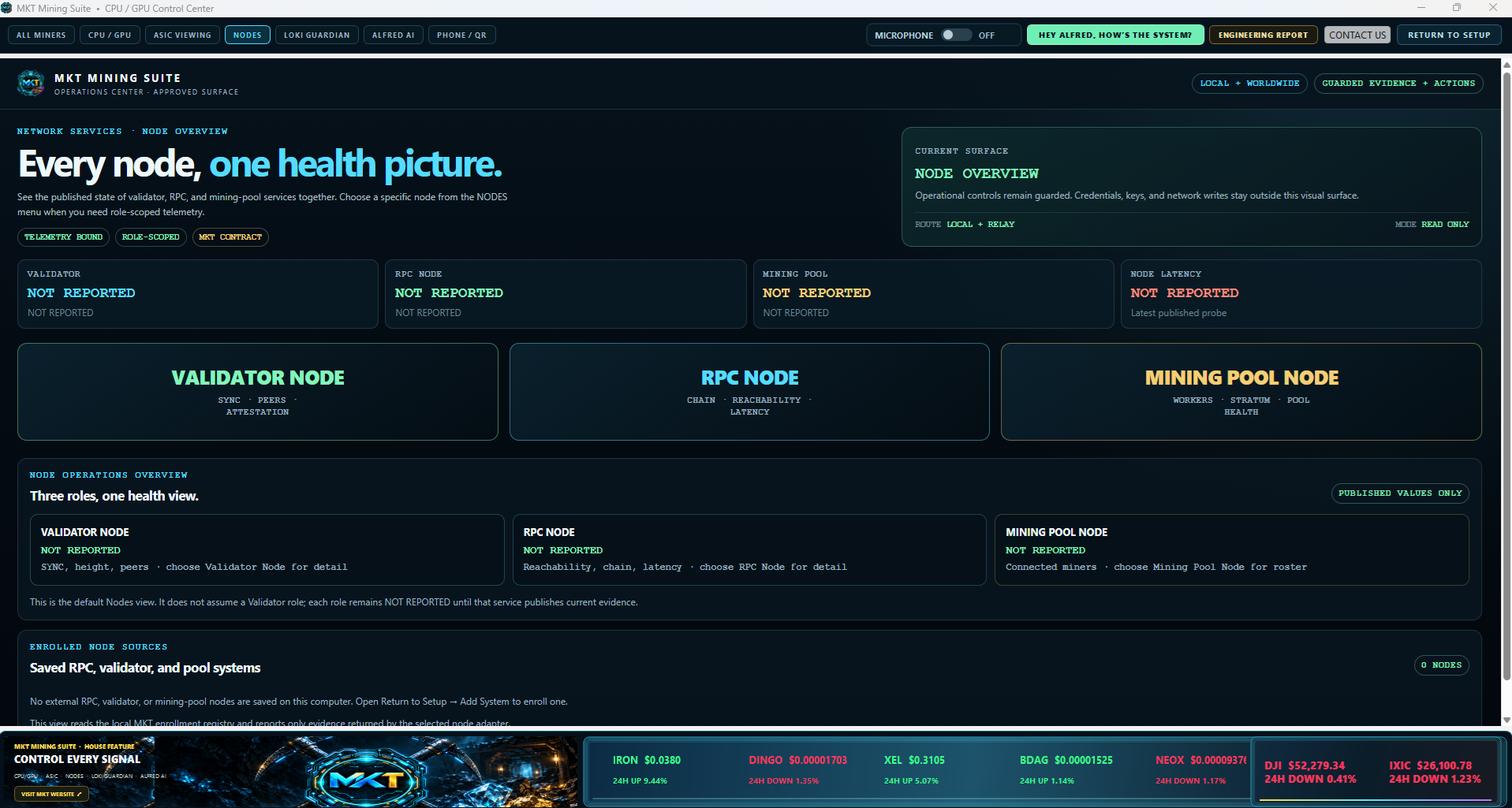
A node is separate from a miner. It participates in a blockchain network and may maintain or serve chain data. MKT can monitor reviewed node/RPC telemetry paths; it does not install arbitrary node software, launch a planned node profile, or scan a LAN.
- Confirm the node already runsCheck that it is synchronizing or synchronized and has a local/read-only interface.
- Use a private pathChoose localhost, a private LAN, or approved Tailscale route; never expose node RPC publicly for discovery.
- Select the coin and Add System → NodeEnter the specific private hostname or IP and use reviewed connection hints.
- Check Node before savingMKT sends only supported fixed read-only health and sync checks. Review identity, reachability, chain tip/sync, and adapter status.
11 · CONTROLLED QUERIES
Configure an RPC endpoint
RPC is the controlled interface used to query a node or compatible service for health, synchronization, and chain context. It is not a public explorer page or mining-pool endpoint.
- Start with a live nodeMKT does not install or start a missing node through the RPC screen.
- Keep the route privateBind to localhost or a private network and limit firewall and Tailscale ACL rules to devices that need access.
- Use reviewed contractsPrefer CoinPack/bundled RPC hints for protocol, port, and named read-only checks. Never force arbitrary methods from an untrusted source.
- Keep credentials privateNever put an RPC password, seed phrase, or private key in a screenshot, CoinPack, or support ticket.
12 · VERIFIED CONFIGURATION DATA
CoinPacks
A CoinPack describes compatible hardware lanes, algorithms, profile versions, pool defaults, explorer guidance, and read-only node/RPC hints. It does not contain a wallet, a return promise, or executable code.
If a coin needs an executable, MKT uses a separately signed, versioned, hash-pinned, platform-specific engine bundle. A CoinPack cannot silently add an executable to the application.
13 · FULL · VISIBLE SYSTEMS
Fleet topology & telemetry
The Full topology visualizes saved computers, enrolled ASICs, and their trusted private paths. It should show real, explicitly added equipment with a recognizable name, route, role, readiness, and freshness—not hidden addresses discovered in the background.
Systems listSaved local computer, verified remote MKT computers, and enrolled ASICs.
Trusted pathsThe fixed, read-only adapters and private routes used for each saved system.
FreshnessWhen MKT last received evidence; valid last-known telemetry should remain labeled as such until new evidence arrives.
Total hash rateThe aggregate valid telemetry across the selected scope, not just the currently selected desktop.
14 · LOCAL PROTECTION & EXPLANATION
Loki Guardian & Alfred AI
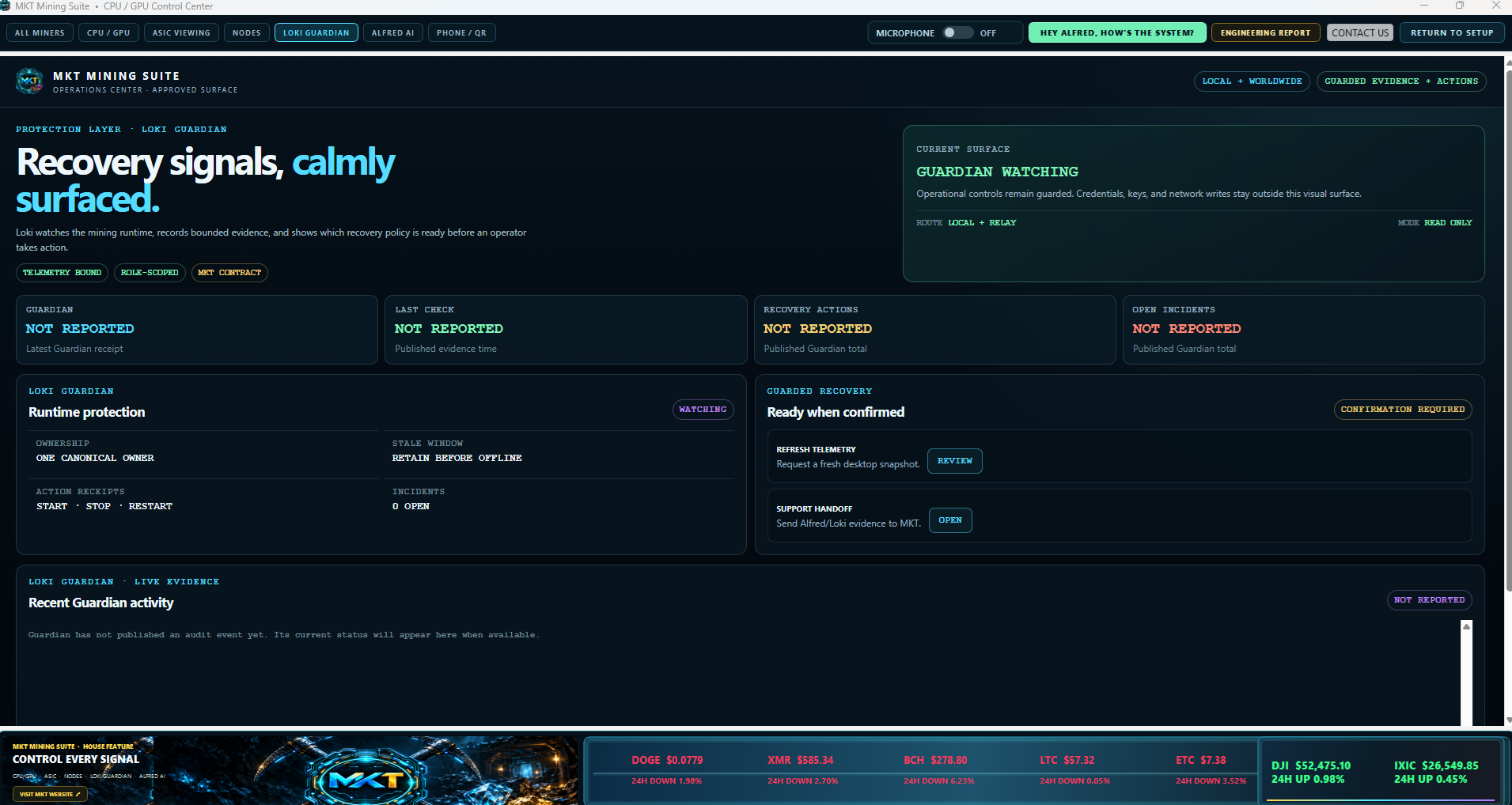
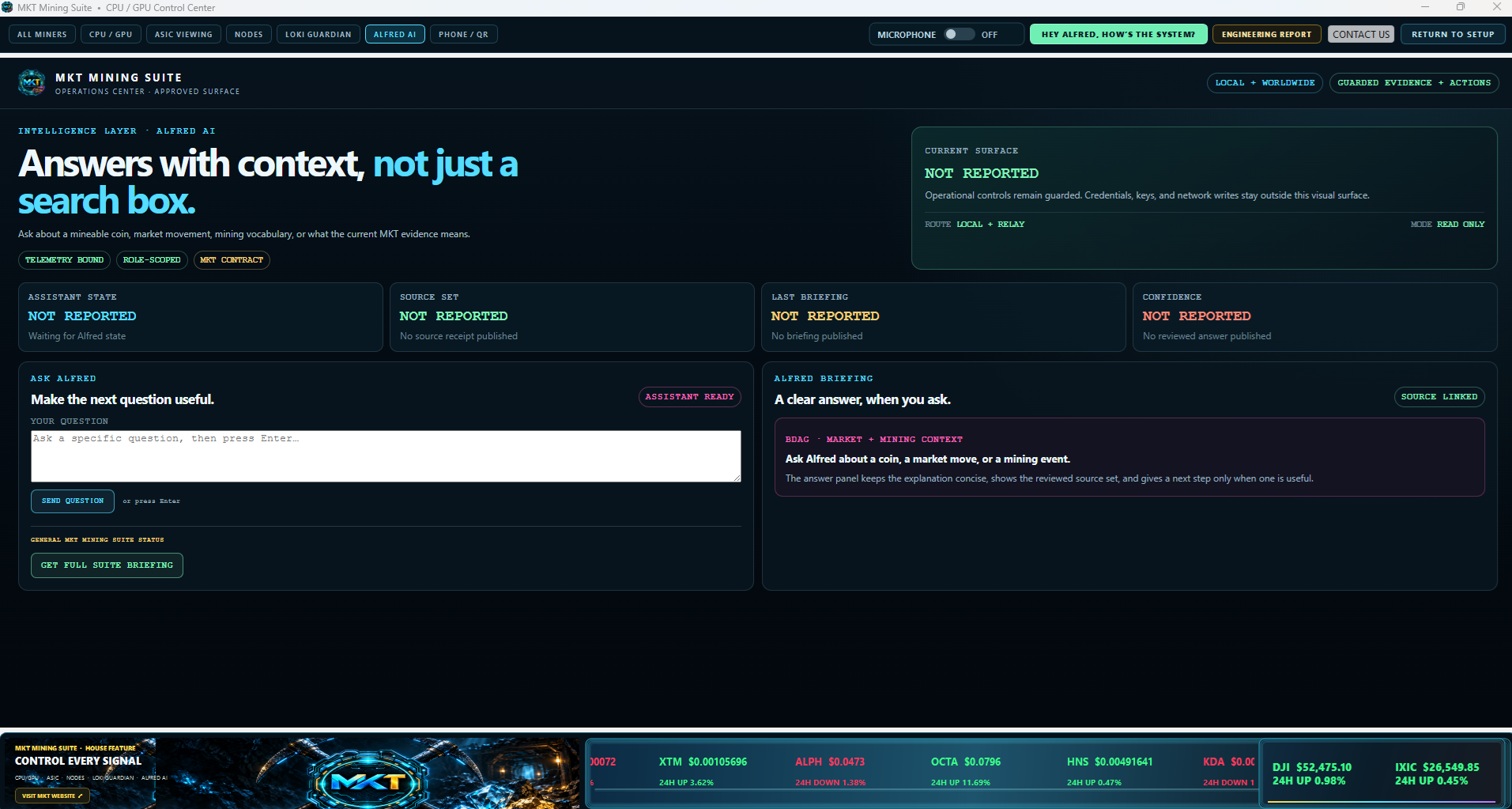
Loki Guardian presents local recovery, storage, pool reachability, and operating signals in readable terms. Alfred is a read-only assistant that explains the current MKT telemetry scope, including valid hash rate, temperatures when reported, and active warnings. Neither silently repairs hardware, changes a pool, moves funds, or receives a private key.
- Voice should wait for “Alfred” or “Hey Alfred” before treating speech as a question.
- The microphone control should make its starting, ready, off, or blocked state clear on the first click.
- Close Alfred to end spoken output. If text evidence is present but speech is missing, refresh context and use Support Report if it persists.
15 · MOBILE PAIRING
Phone / QR
Generate a current QR code from the selected MKT screen, treat it as private, and regenerate it if it was shared with someone who should not have access. Phone / QR is available in both Lite and Full.
16 · START WITH EVIDENCE
Troubleshooting
Miner will not start
Check profile, wallet network, pool route, engine verification, GPU/driver support, and logs. Do not disable operating-system protections to force an executable to run.
Hash rate is missing
Check whether the miner is running, connected, waiting for a job, or has only valid-last-known telemetry. Fresh boot without telemetry should be shown as waiting for data.
ASIC has no telemetry
Confirm the private route, firmware/model, status API, and approved adapter. Do not expose the ASIC publicly to troubleshoot.
Explorer shows no funds
Confirm coin/network/address and the pool’s payout threshold and history before assuming wallet loss.
Node/RPC cannot be checked
Verify node service, synchronization, private route, firewall, port/path, and reviewed adapter status.
Need support
Provide your app version, selected coin, device name, non-sensitive route type, current screen/log evidence, and ASIC/node model or firmware—never secrets.
17 · SAFE OPERATION
Security & support
- MKT never needs a wallet seed phrase, private key, recovery phrase, or payment-card number.
- Keep ASIC APIs, node RPC endpoints, and telemetry paths on private LAN or approved Tailscale routes.
- Install signed MKT packages and verified CoinPacks/engine bundles only.
- Keep operating system, drivers, firmware, and node software current; read release notes before a major update.
- Use contact@mktminingsuite.com for support. Do not send secrets or a full device-bound receipt.
Save the PDF for offline reference.
The PDF contains the same Lite quick start and Full operating chapters in one printable guide.